Getting started at 3Star88 Casino is straightforward, whether you’re logging in from your desktop, mobile phone, or tablet. This guide walks you through everything you need to know about accessing your account, creating one if you’re new, and troubleshooting common login issues.
Creating Your Account
If you’re new to 3Star88, you’ll need to register before you can log in. The process takes just a few minutes:
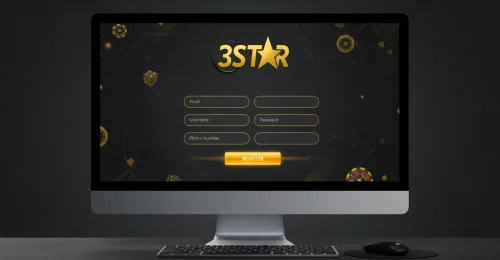
Click the “Register” or “Sign Up” button on our homepage. You’ll need to provide basic information like your email address, phone number, and create a secure password. Make sure to use a strong password that combines letters, numbers, and special characters—this keeps your account safe.
Once you’ve filled in your details, verify your email address by clicking the link we send you. Some players skip this step, but it’s important for account security and helps if you ever need to reset your password.
Logging In on Desktop
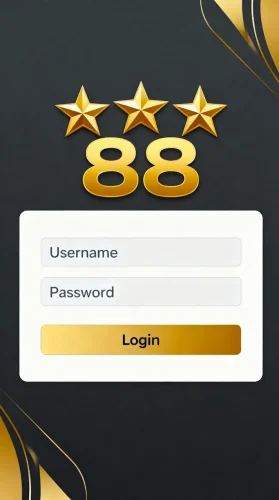
For desktop users, the login process is simple. Visit the 3Star88 Casino website and look for the “Login” button in the top right corner. Enter your registered email or username and password, then hit enter.
Pro tip: Use the “Remember Me” checkbox if you’re on your personal computer. This saves your login details securely and speeds up future visits. Never use this feature on shared or public computers.
Mobile Login: iOS and Android
Mobile gaming is huge in Malaysia, and we’ve optimized the login experience for both iOS and Android devices.
For iOS users: Open Safari or your preferred browser and navigate to our website. The mobile interface automatically adjusts to your screen size. You can also add 3Star88 to your home screen for quick access—just tap the share button and select “Add to Home Screen.” This creates an app-like icon that opens directly to our login page.
For Android users: The process is similar. Use Chrome or any browser you prefer. Android users can also add a shortcut to their home screen through the browser menu. Some Android devices support biometric login through saved passwords—you can enable this in your device settings for even faster access.
Common Login Issues and Solutions
Forgot your password?
Click the “Forgot Password” link on the login page. Enter your registered email, and we’ll send you a reset link immediately. Check your spam folder if you don’t see it within a few minutes.
Account locked?
After several unsuccessful login attempts, accounts are temporarily locked for security. Wait 15-30 minutes before trying again, or contact our 24/7 support team for immediate assistance.
Can’t remember your username?
Use your email address instead—both work for logging in. If you’re still stuck, our support team can help verify your identity and retrieve your account details.
Security Features You Should Know
We take account security seriously. Here’s what protects your account:
Two-factor authentication (2FA) is available and highly recommended. Once enabled, you’ll receive a verification code via SMS or email each time you log in from a new device. This extra layer stops unauthorized access even if someone gets your password.
Our system monitors login locations. If we detect a login from an unusual location or device, we may ask for additional verification. This might seem inconvenient, but it’s protecting your account and funds.
Staying Logged In vs. Logging Out
When you’re done playing, should you log out? It depends on your situation:
On personal devices at home, staying logged in is convenient and generally safe—our session security keeps your account protected. On public devices, shared computers, or when using public WiFi, always log out completely and clear your browser history.
Sessions automatically expire after a period of inactivity, typically 30 minutes. This means even if you forget to log out, your account won’t stay accessible indefinitely.
Browser Compatibility
3Star88 works on all modern browsers, but some perform better than others. Chrome, Safari, Firefox, and Edge all provide smooth experiences. If you’re experiencing login issues, try these steps:
Clear your browser cache and cookies. Sometimes stored data conflicts with our updated systems. Update your browser to the latest version—older browsers may have compatibility issues. Disable VPNs or proxy servers temporarily, as these can sometimes interfere with our geographic verification systems.
Multiple Device Access
You can access your 3Star88 account from multiple devices, but only one active session is allowed at a time. If you log in on your phone while already logged in on your computer, the computer session automatically ends. This security feature prevents unauthorized simultaneous access.
VIP and Account Tiers
All players use the same login process regardless of account tier. Once logged in, your dashboard reflects your VIP status, available bonuses, and personalized offers. Higher-tier members see exclusive promotions immediately after login.
Quick Access Tips
Bookmark our login page for faster access. The direct URL eliminates the need to navigate through the homepage each time. Enable notifications to receive alerts about bonuses, promotions, and important account updates. Set up biometric login on mobile devices for one-touch access—both Face ID and fingerprint sensors work seamlessly with saved credentials.
The login process at 3Star88 is designed to balance security with convenience. Whether you’re a desktop player or prefer gaming on mobile, accessing your account is quick and straightforward across all platforms.